

Description
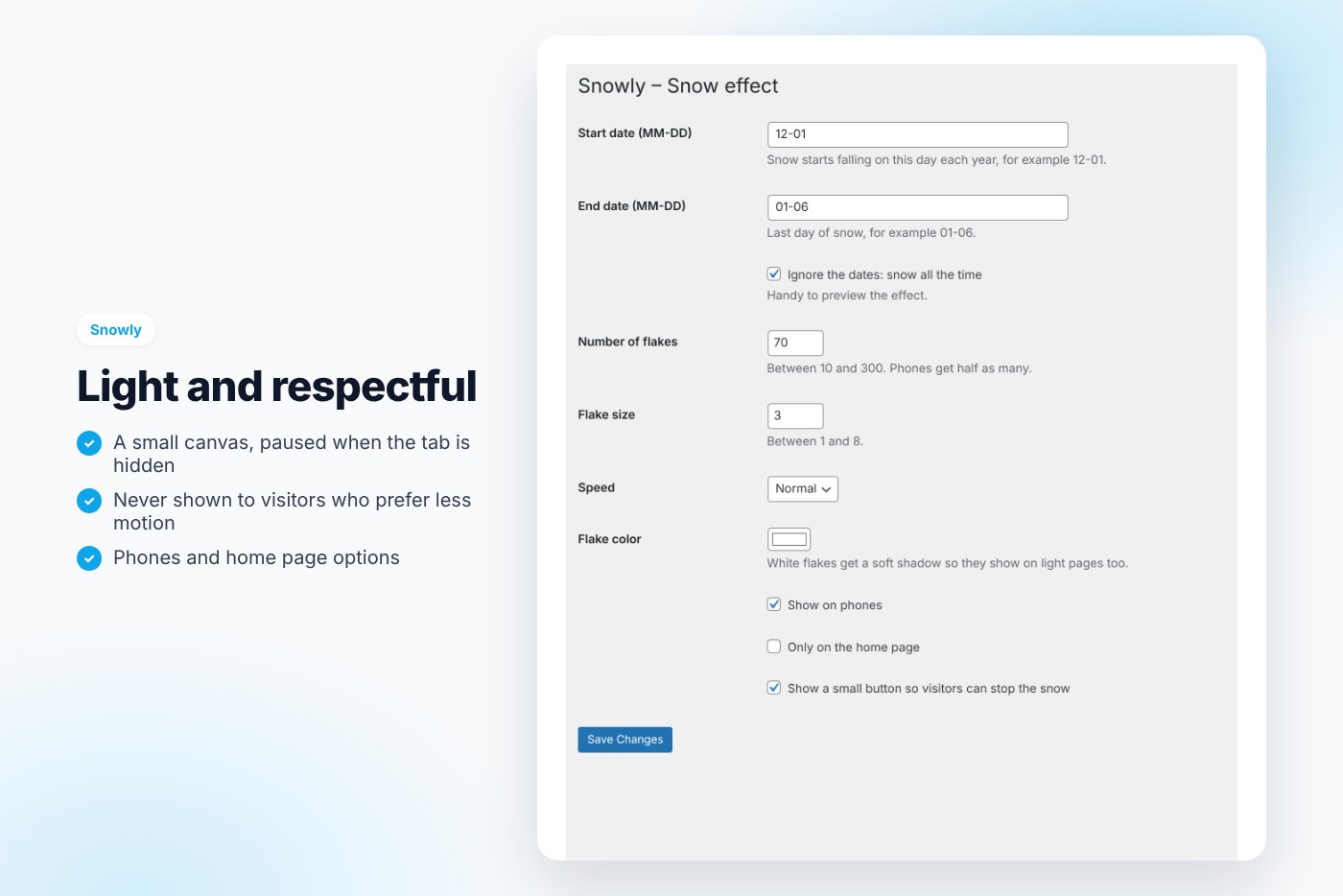
Light snowfall on your site during the holidays: it starts and stops on the dates you choose, respects reduced motion and lets visitors stop it.
A little snow makes a site feel festive without redesigning anything. Snowly adds a light canvas snowfall that switches itself on in December and off after the holidays.
Why buyers like it
- Clean, modern design that fits any theme
- Lightweight: no jQuery on the front end, no external service, no tracking
- Fully unlocked: no license key, no activation, readable GPL code
- Translation ready
Features
- Starts and stops on your dates, every year
- Amount, size, speed and color
- Lightweight canvas, paused when the tab is hidden
- Never shown to visitors who prefer reduced motion
- A small button to stop it, remembered
- Show on phones or not, home page only option
- Clicks pass through the snow
Requirements
- WordPress 6.0 or later
- PHP 7.4 or later
- Works with any theme and page builder
What you get
- The installable plugin zip, ready to upload in Plugins › Add New
- Instant download after payment, from your order email and your account
- Free updates: download the latest version from your account at any time
- Readable GPL code, no license key, no activation, no tracking
- English, translation ready
Installation
- After purchase, download the plugin zip from your order email or your account (do not unzip it).
- In WordPress go to Plugins › Add New › Upload Plugin and upload
snowly-snow-effect.zip. - Activate the plugin.
- Check Settings › Snow effect.
Frequently asked questions
Does it work with my theme and page builder?
Yes. It works with any properly coded theme, including block themes, and with page builders through the shortcode.
Can I try it before buying?
Yes, every feature runs on the live demo.
Is there a subscription or a license key?
No. You pay once and download the plugin. There is no license key to activate.





Reviews
There are no reviews yet.